Transfer Chats Between Official WhatsApp and GBWhatsApp
Many people look for ways to switch between official WhatsApp and GBWhatsApp because they want extra features. GBWhatsApp is a popular modified version of WhatsApp that offers more options for privacy, customization, and fun tools. However, switching apps can feel scary if you worry about losing your old chats, photos, videos, and other media. The good news is that you can transfer data from WhatsApp to GB WhatsApp or the other way around quite easily if you follow the right steps.
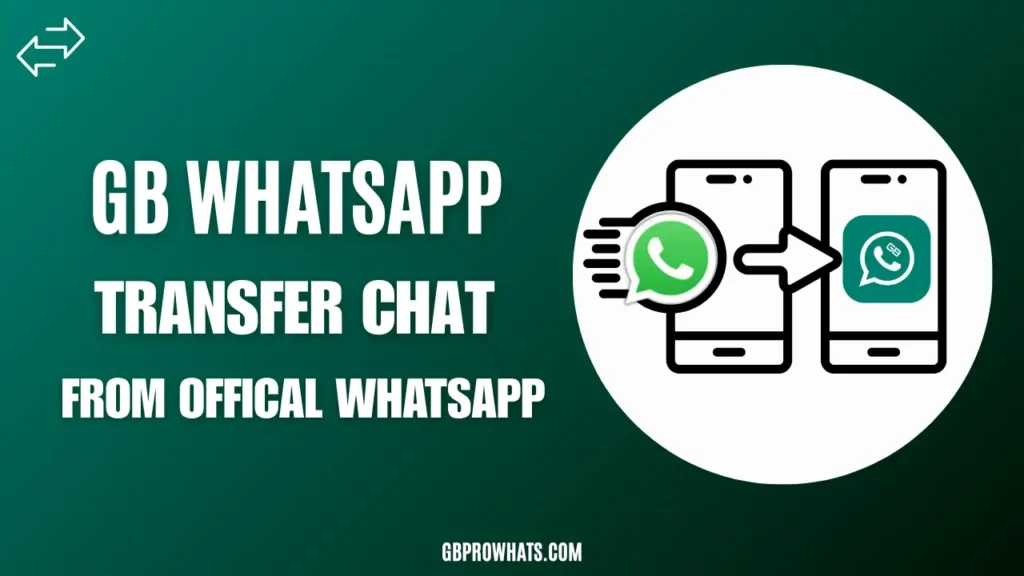
This guide will explain everything in simple words. We will cover what GB WhatsApp is, why people use it, the differences from the official app, and step-by-step instructions on how to move your data safely. We will also talk about important risks, like account bans or security issues, so you can decide if it is right for you. By the end, you will know exactly how to switch WhatsApp to GB WhatsApp without losing chats and how to go back if needed.
What Is GBWhatsApp?
GBWhatsApp is a changed version of the regular WhatsApp app. It is made by independent developers, not by the official WhatsApp team (which is owned by Meta). These developers add new features that the original app does not have. People download it as an APK file from websites because it is not on the Google Play Store.
Users like GBWhatsApp because it gives more control over messaging. For example, you can hide your online status, download others’ status stories, send bigger files, and use cool themes to change how the app looks. It is one of the oldest and most popular WhatsApp mods, with versions like GBWhatsApp Pro, FMWhatsApp, and others offering similar extras.
However, since it is not official, there are some downsides. WhatsApp’s rules say you should only use the real app, so using mods can lead to problems like temporary or permanent bans on your phone number.
Why Do People Switch to GBWhatsApp?
The official WhatsApp is great for basic texting, calls, and sharing media. It is secure with end-to-end encryption, meaning only you and the person you message can read your chats. But many users feel it lacks fun and useful tools. That’s where GBWhatsApp comes in.
People switch for these main reasons:
- Better privacy controls, like hiding when you are online or when you read messages.
- Ability to download status updates (photos or videos others post for 24 hours).
- More customization, such as changing colors, fonts, and themes.
- Sending larger files or more photos at once.
- Extra locks and security options for chats.
If you use WhatsApp a lot for personal or work chats, these features can make your experience much better. But remember, the official app gets regular updates and support, while mods depend on third-party developers.
Key Differences Between Official WhatsApp and GBWhatsApp
Here is a simple comparison to show how they differ. This table highlights the main features side by side.
| Feature | Official WhatsApp | GBWhatsApp |
|---|---|---|
| Hide Online Status | No | Yes |
| Hide Blue Ticks (Read Receipts) | Limited | Yes (full control) |
| Download Status Stories | No | Yes |
| Send Larger Files (e.g., videos) | Up to 100 MB | Up to 1 GB or more |
| Custom Themes and Fonts | No | Yes (thousands available) |
| Multiple Accounts on One Device | Limited | Yes (up to 4 easily) |
| Schedule Messages | No | Yes |
| Anti-Delete Messages | No | Yes (see deleted texts) |
| App Lock (PIN, Pattern, etc.) | Basic | Advanced options |
| Freeze Last Seen | No | Yes |
| DND Mode (Do Not Disturb) | No | Yes |
| Auto-Reply Messages | For Business Only | Yes for everyone |
| Official Support and Updates | Yes | No (third-party only) |
| Risk of Account Ban | No | Yes (possible) |
As you can see, GBWhatsApp wins on extra features, but the official version is safer and more reliable for long-term use.
Other popular mods like WhatsApp Plus, YO WhatsApp, Aero WhatsApp, Fouad WhatsApp, and OG WhatsApp offer similar extras. The data transfer methods in this guide work for most of them too.
Important Warnings Before Switching
Before you start transferring data, here are some key things to know:
- Account Ban Risk: WhatsApp can detect modified apps and ban your number temporarily (24-72 hours) or permanently. Many users report no issues if they use updated “anti-ban” versions, but there is always a chance.
- Security Concerns: Since it is not official, there could be risks like malware if you download from bad sources. Your data might not be as protected.
- No Google Drive Backup for Mods: Official WhatsApp backs up to Google Drive, but most mods use local storage only.
- Always Backup First: No matter which way you switch, make a backup to avoid losing anything.
- Use at Your Own Risk: If your number is important for business or family, stick to the official app.
Many users enjoy GBWhatsApp without problems, especially with the latest versions in 2026 that have better anti-ban tools. But think carefully.
How to Transfer Data from Official WhatsApp to GBWhatsApp
This is the most common switch. You want to keep all your chats while getting the extra features.
Method 1: The Folder Rename Way (Most Reliable, No Uninstall Needed Sometimes)
- Open the official WhatsApp app.
- Go to Settings (three dots in the top right) > Chats > Chat backup.
- Tap “Back up” to create a local backup on your phone. Include videos if you want.
- Close WhatsApp.
- Open your phone’s File Manager app.
- Go to Internal Storage > WhatsApp folder. (It might be in Android > Media > com.whatsapp > WhatsApp.)
- Rename the “WhatsApp” folder to “GBWhatsApp”. (Also rename any subfolders like WhatsApp Images to GBWhatsApp Images, etc., if needed.)
- Install GBWhatsApp APK (from a trusted source).
- Open GBWhatsApp, agree to terms, and verify your phone number (same as official).
- It will detect the backup automatically. Tap “Restore” when asked.
- Wait for it to finish. All your chats, media, and settings should appear.
This works because GBWhatsApp looks for a folder named “GBWhatsApp” for its data.
Method 2: Using Google Drive (If Supported in Your Version)
Some newer GBWhatsApp versions allow Google Drive restore:
- In official WhatsApp, backup to Google Drive.
- Install GBWhatsApp.
- During setup, log in to the same Google account.
- It may offer to restore from Drive.
But local folder method is safer and works every time.
After switching, you can uninstall the official app if you want, or keep both (they can run together).
How to Transfer Data from GBWhatsApp to Official WhatsApp
If you want to go back to the safe official app:
- Open GBWhatsApp.
- Go to Settings > Chats > Chat backup.
- Tap “Back up” to save locally.
- Close the app.
- Use File Manager to find the GBWhatsApp folder (usually Internal Storage > GBWhatsApp or Android > Media > com.gbwhatsapp > GBWhatsApp).
- Rename “GBWhatsApp” to “WhatsApp”. (Rename subfolders too, like GBWhatsApp Media to WhatsApp Media.)
- Uninstall GBWhatsApp (or clear its data first).
- Install or open the official WhatsApp from Play Store.
- Verify your phone number.
- It will find the local backup and ask to restore. Tap “Restore”.
Your chats should load perfectly. This reverse method works well for most users.
Tips to Avoid Losing Data During Switch
- Always do a manual backup before starting.
- Use a good file manager app to see hidden folders.
- If media (photos/videos) does not restore, copy the Media folder manually.
- Test on a secondary number first if possible.
- Keep copies of your backup folders on cloud storage or computer.
- Update your mod to the latest version for better compatibility.
If something goes wrong, you can often fix it by repeating the rename steps.
Common Problems and Fixes
- Backup Not Found: Ensure all folders are correctly renamed and placed in the proper directory before restoring the application process.
- Media Missing: Manually copy all Media subfolders from old storage into the new backup directory to restore chats completely successfully.
- Ban After Switch: Use trusted anti-ban versions, avoid rapid logins, suspicious activity, and unnecessary verification triggers during account migration periods.
- App Crashes: Clear application cache, restart device, or reinstall the app to fix instability and corrupted files causing frequent failures.
Frequently Asked Questions (FAQs)
Final Thoughts
Switching between official WhatsApp and GBWhatsApp is simple once you know the folder tricks. You can keep all your important chats, memories, and files without any loss. GBWhatsApp offers exciting extras that make messaging more fun and private, but it comes with risks that the official app does not have.
If you value safety and official support most, stay with regular WhatsApp. But if you want more features and are okay with some risks, try GBWhatsApp carefully. Always backup regularly it’s the best way to protect your data.